Find your starting point.
Know who you want to meet, why you want to connect, and a few things to talk about. A quick briefing helps you feel ready.
 Handshake Coming to iPhone
YOUR NEXT GOOD CONVERSATION
Less overthinking. More connecting. Your pocket-sized preparation for the people you want to meet.
An iPhone app for salespeople, account managers,
and anyone turning conversations into relationships.
In development. Not yet on the App Store.
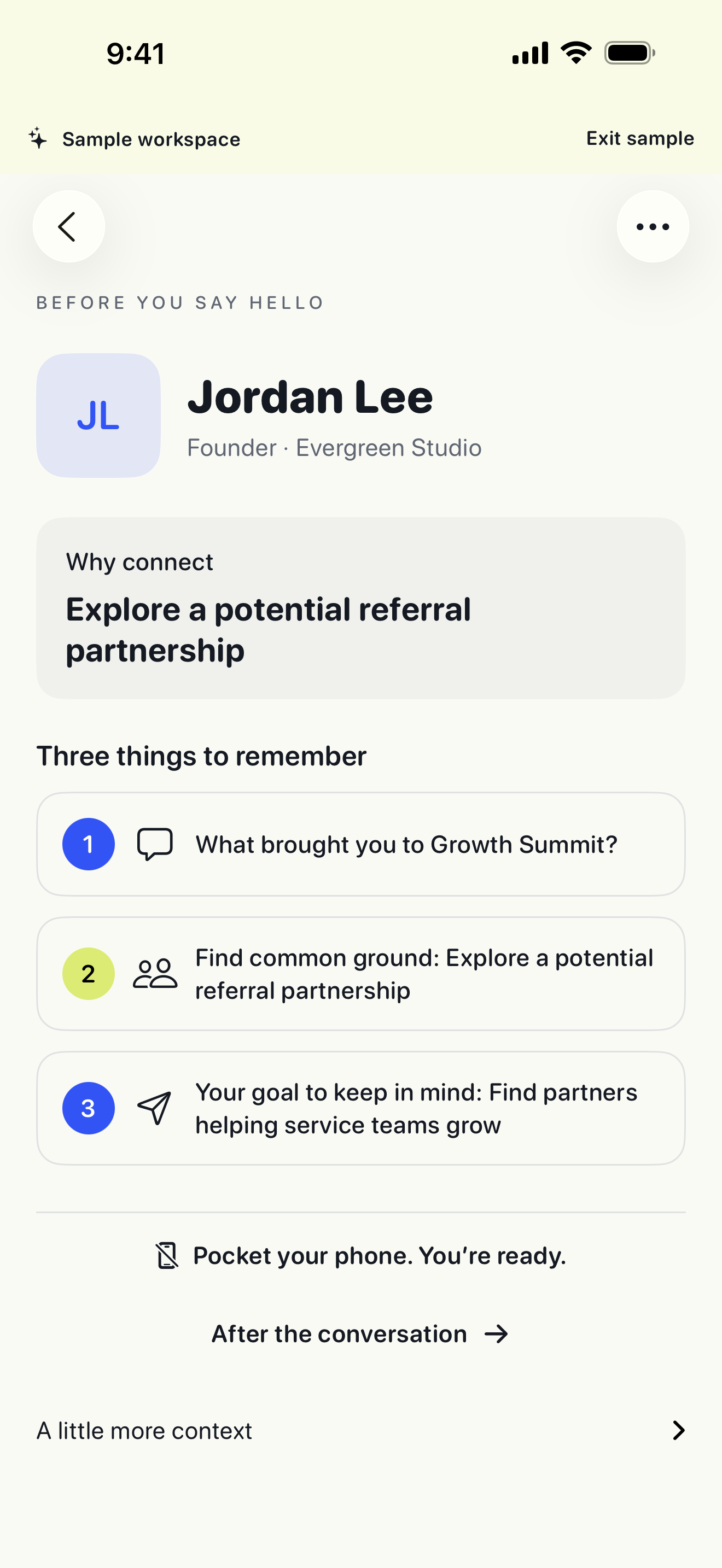
Actual app screen · fictional sample workspace
Be present.
Not on your phone.
THREE SMALL STEPS. REAL CONNECTIONS.
No event-organizer account needed. Bring Handshake to the rooms you’re already walking into.
Know who you want to meet, why you want to connect, and a few things to talk about. A quick briefing helps you feel ready.
Say hello. Ask a question. Follow your curiosity. Handshake is built to prepare you for the conversation, then get out of your way.
Jot down what mattered, capture an opportunity, and agree on a next step. Make following through part of the connection.
SMALL WINS ADD UP
Next step agreed.
Your progress. Your pace.
A LITTLE PLAY. A LOT OF PURPOSE.
Celebrate the courage to say hello—and the conversations that go somewhere.
FROM FIRST HELLO TO WHAT’S NEXT
Keep names, photos, priorities and shared context together across events.
Show a contact QR code, share a contact card, or review and save a new person to iPhone Contacts.
Keep due dates and next steps in one place. Edit a message template and send it when you’re ready.
Export CSV or save a manual backup through Files or iCloud Drive. Your local workspace stays on your phone.
Built around information you provide. No invented personal facts, attendee scraping, or automatic messages.
START SMALL. KEEP GOING.
Planned launch pricing. Subscriptions are not available to buy yet.
YOUR FIRST EVENT
Prepare, capture conversations, track progress and follow through at your first event.
No time limit on your first event.
HANDSHAKE PRO
or US$59.99 billed annually
Everything in your first event, with additional events for the people who keep showing up.
Existing records and exports remain accessible when Pro ends.
Final prices, taxes and availability appear in the App Store before purchase. Subscriptions renew automatically unless cancelled. Manage or cancel through your Apple Account. Subscription terms →
A FEW GOOD QUESTIONS
Not yet. We’re preparing the first iPhone release. The screenshots show the working development app with fictional sample data. No public download or TestFlight invitation is available on this site.
You create your own events and add the people you want to meet. Handshake does not depend on the organizer or provide an attendee directory.
No. Glance at the briefing before you approach someone, then put your phone away. Capture notes after the conversation or later when you have a moment.
Suggestions currently use editable templates based on what you enter. AI services, LinkedIn sign-in and public Pipedrive integration are not live. We’ll explain their availability and data handling before introducing them.
No. You choose when to save a snapshot through Apple’s Files picker. Choose an iCloud Drive folder and confirm upload in Files. It is not automatic backup or live device-to-device sync.
Prepare. Connect. Reflect.
Get in touch